After 20th Feb 2022 Google updated parts of their API.
This means that when you attempt to use certain features in your Influence database (such as the Map Pins feature) you may get a message stating:
A new KClient and Chromium integration is required. Please contact Influence Customer Services for More information.
e.g.
Essentially, you will need to download and install a small update (patch) file for your KClient software that connects you to your Influence database.
How to Download & Install the Chromium Update
To install the KClient + Chromium software follow the steps below:
Step 1: Close all open Influence sessions.
Step 2: Go to www.influence-it.co.uk/downloads and download the K7Connector.exe and K7Chromiumshim.msi files.
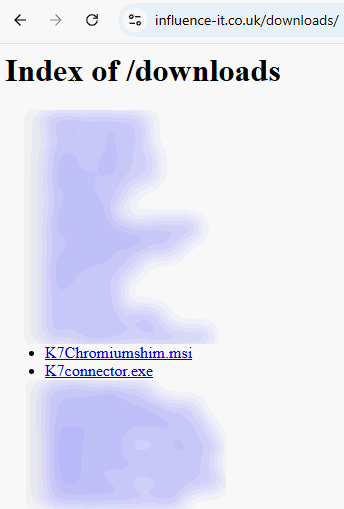
Step 3:
Install the K7Connector.exe and K7Chromiumshim.msi files.
Follow any on-screen instructions.
When installing the K7Connector.exe it is important that you do the following:
Right click and 'Run as Administrator', then keep the option 'Everyone' selected when clicking [Next] through the install screens.
Once installed, you can log back into Influence. After you restart your device, the Google Map Pins feature will now work.


Was this article helpful?
That’s Great!
Thank you for your feedback
Sorry! We couldn't be helpful
Thank you for your feedback
Feedback sent
We appreciate your effort and will try to fix the article